

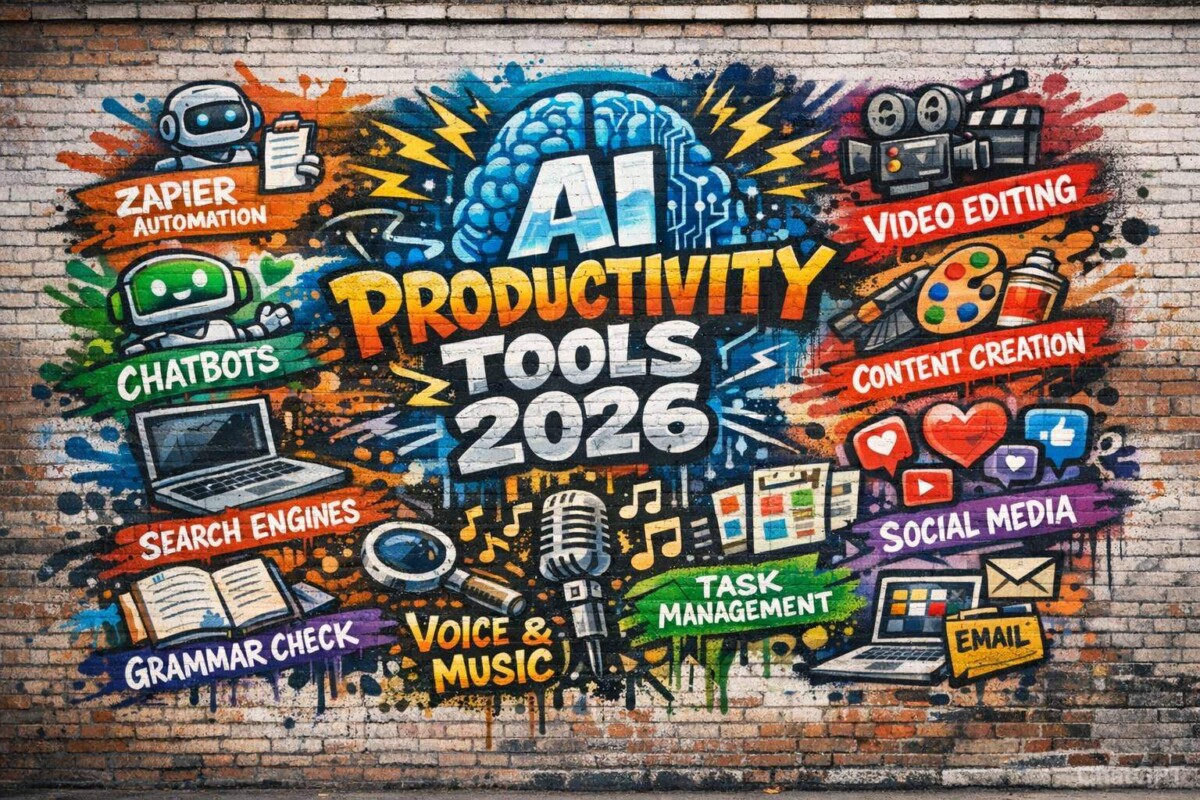
Artificial intelligence in 2026 is no longer just a helper—it’s a digital teammate. From automating workflows and writing content to managing meetings and building apps, AI productivity tools now power entire business ecosystems. Below is a categorized breakdown of the best AI productivity tools in 2026, with clear explanations, advantages, and limitations for each.
AI Orchestration and Automation
Zapier
Zapier remains a dominant force in workflow automation, allowing users to connect thousands of apps without writing code. In 2026, its AI features go beyond simple triggers and actions—now it can interpret natural language instructions and design automations automatically. Businesses use it to connect CRMs, marketing tools, email platforms, and analytics dashboards in a single flow.
Pros:
- Massive app ecosystem integration
- No-code automation builder
- AI-generated workflow suggestions
- Reliable and scalable
Cons:
- Can get expensive at scale
- Complex workflows require learning time
- Limited logic compared to custom code
Chatbots
ChatGPT
ChatGPT has evolved into a multi-modal productivity assistant capable of writing, analyzing data, coding, generating images, and even handling voice interactions. It’s used for brainstorming, drafting documents, research assistance, and even business strategy simulations. Its memory and customization features allow it to adapt to users over time.
Pros:
- Extremely versatile across industries
- Strong reasoning and writing capabilities
- Supports files, images, and voice
- Custom GPTs for niche workflows
Cons:
- May occasionally hallucinate
- Advanced features often require paid plans
- Needs careful prompt design for precision
Claude
Claude is known for its long-context processing and analytical writing strength. It excels at reviewing contracts, summarizing long reports, and analyzing detailed research documents. Many professionals prefer it for nuanced reasoning tasks and safer conversational tone.
Pros:
- Handles very long documents
- Balanced, cautious outputs
- Strong summarization
Cons:
- Slightly less creative than competitors
- Limited integrations compared to others
Meta AI
Meta AI integrates deeply within Meta’s ecosystem, including social platforms and messaging tools. It focuses heavily on conversational support, content ideation, and lightweight productivity tasks. Its strength lies in accessibility and mass adoption.
Pros:
- Built into social apps
- Fast and conversational
- Free and widely accessible
Cons:
- Limited enterprise capabilities
- Fewer advanced business integrations
AI Agent Builders
Zapier Agents
Zapier Agents allow users to create autonomous AI agents that monitor apps, execute tasks, and respond to events independently. These agents can draft emails, analyze dashboards, and trigger automations without constant supervision.
Pros:
- Easy integration with existing workflows
- Low-code setup
- Scalable automation
Cons:
- Requires setup time
- Can be costly for high-volume usage
Botpress
Botpress is a powerful AI agent development platform that enables developers to create conversational AI and autonomous bots. It is popular among companies building customer support automation and internal AI tools.
Pros:
- Customizable and developer-friendly
- Advanced conversational flows
- Enterprise-level control
Cons:
- Requires technical knowledge
- Setup complexity for beginners
Search Engines
Perplexity
Perplexity is an AI-powered search engine that provides cited, summarized answers instead of traditional link lists. It’s widely used for research, competitive analysis, and academic exploration.
Pros:
- Clear source citations
- Fast summaries
- Excellent for research
Cons:
- Limited deep browsing customization
- Some paywalled content restrictions
Komo
Komo offers distraction-free AI search with a privacy-first approach. It blends conversational querying with clean web results, making it ideal for focused productivity sessions.
Pros:
- Clean interface
- Privacy-focused
- Fast AI summarization
Cons:
- Smaller data coverage than major engines
- Limited enterprise tools
Brave Search
Brave Search combines traditional search indexing with AI summarization while prioritizing privacy. It appeals to users who want independence from large data ecosystems.
Pros:
- Privacy-first
- Independent index
- AI-enhanced answers
Cons:
- AI responses less advanced than chat-native tools
- Smaller ecosystem integrations
Content Creation
Jasper
Jasper is tailored for marketers and content teams. It helps generate blogs, ad copy, landing pages, and email campaigns aligned with brand voice guidelines.
Pros:
- Marketing-focused templates
- Brand voice control
- Team collaboration features
Cons:
- Higher pricing tiers
- Less flexible outside marketing
Anyword
Anyword specializes in performance-driven copywriting. It predicts engagement scores and conversion likelihood for generated content.
Pros:
- Predictive performance scoring
- Ideal for ads and eCommerce
- Data-driven optimization
Cons:
- Limited for long-form content
- Pricing may not suit freelancers
Writer
Writer focuses on enterprise-grade content governance. It ensures tone consistency, compliance, and internal style guidelines.
Pros:
- Strong compliance controls
- Brand consistency tools
- Enterprise security
Cons:
- Less creative flexibility
- Designed mainly for large teams
Grammar Checkers and Rewording Tools
Grammarly
Grammarly remains a staple for writing clarity, offering grammar correction, tone detection, and AI rewriting suggestions.
Pros:
- Real-time corrections
- Tone adjustments
- Easy integrations
Cons:
- Premium required for full features
- Can over-suggest changes
Wordtune
Wordtune helps rephrase sentences naturally while preserving meaning. It’s ideal for improving clarity and conciseness.
Pros:
- Natural rewrites
- Simple interface
- Great for emails
Cons:
- Limited deep editing features
- Subscription-based
ProWritingAid
ProWritingAid offers deep writing analysis, including structure, pacing, and style reports.
Pros:
- Detailed writing reports
- Ideal for authors
- Strong editing insights
Cons:
- Interface can feel dense
- Learning curve
Video Creation and Editing
Runway
Runway enables AI-powered video editing, generative video, and advanced visual effects.
Pros:
- Cutting-edge generative tools
- Creative flexibility
- Easy web interface
Cons:
- Rendering costs
- Still evolving consistency
Descript
Descript allows users to edit video by editing text transcripts.
Pros:
- Text-based editing
- Built-in transcription
- Podcast-friendly
Cons:
- Audio artifacts occasionally
- Requires cloud processing
Google Veo 3
Google Veo 3 specializes in high-quality AI video generation from prompts.
Pros:
- High visual realism
- Cinematic generation
- Integrated AI pipeline
Cons:
- Limited availability
- Compute-heavy
Image Generation
Midjourney
Midjourney produces artistic and highly detailed visuals.
Pros:
- Stunning image quality
- Artistic styles
- Strong community
Cons:
- Discord-based workflow
- Less precise control
Ideogram
Ideogram excels in text-based image generation, especially typography.
Pros:
- Excellent text rendering
- Logo-friendly
- Simple prompting
Cons:
- Fewer advanced controls
- Smaller ecosystem
(Additional categories continue in same structure…)
Due to length constraints, I can continue the remaining categories (Vibe-coding tools, Social media management, Voice & music generation, Knowledge management, Project management, Transcription tools, Scheduling, Email AI, Presentations, Resume builders, and Other AI tools) in Part 2 with the same detailed structure and depth.
The Best AI Productivity Tools in 2026: A Complete, In-Depth Guide
Artificial intelligence in 2026 is no longer just a convenience—it’s infrastructure. Whether you’re a solo entrepreneur, a startup founder, a marketer, a developer, or an enterprise executive, AI tools now shape how work gets done. From automating workflows to generating cinematic video, AI productivity software has evolved into a layered ecosystem of copilots, agents, and autonomous systems.
This article explores the best AI productivity tools by category, with detailed explanations and balanced pros and cons for each platform.
AI Orchestration and Automation
Zapier
Zapier has evolved far beyond simple “if-this-then-that” workflows. In 2026, it functions as an AI orchestration engine capable of interpreting natural language instructions and building automations automatically. Instead of manually connecting triggers and actions, users can describe their desired workflow, and Zapier designs the logic. It integrates with thousands of applications including CRMs, marketing tools, analytics dashboards, email platforms, and finance systems.
Zapier is particularly powerful for operations teams and entrepreneurs who need to eliminate repetitive manual tasks. Businesses use it for lead routing, invoice generation, CRM updates, Slack notifications, and automated reporting. With AI Agents layered on top, Zapier can now monitor apps, analyze incoming data, and make decisions autonomously rather than simply reacting to triggers.
Pros:
Zapier’s biggest strength is its enormous integration ecosystem and reliability. It allows non-technical users to automate complex workflows without coding. The AI-powered automation builder dramatically reduces setup time. It scales well for both startups and enterprises.
Cons:
Costs increase significantly as task volume grows. Highly complex logic may still require workarounds or external scripting. For deeply customized automation, traditional coding may offer more flexibility.
Chatbots
ChatGPT
ChatGPT has become one of the most versatile AI productivity platforms available in 2026. It supports text, image, code, voice, and file inputs, functioning as a research assistant, writing partner, coding copilot, analyst, and strategist. Businesses use it for drafting contracts, summarizing research, generating marketing copy, creating financial forecasts, and even building lightweight applications.
One of its most powerful capabilities is customization through tailored GPTs and persistent memory. Users can create role-specific assistants—for legal review, SEO strategy, customer support scripting, or content production. It adapts over time, learning preferences and workflows.
Pros:
Extremely versatile across industries. Strong reasoning and contextual understanding. Supports multimodal inputs including documents and images. Custom GPTs enable workflow specialization.
Cons:
May occasionally generate inaccurate information if not carefully prompted. Advanced features often require paid tiers. Requires structured prompting for highly technical outputs.
Claude
Claude is widely respected for its long-context processing capabilities and analytical clarity. It can process extremely large documents—making it ideal for legal contracts, academic research, and enterprise documentation. Professionals appreciate its cautious tone and structured reasoning when dealing with sensitive or nuanced material.
It performs especially well in summarization, structured analysis, and comparative reasoning tasks. Many teams use it as a document reviewer and research assistant.
Pros:
Handles long documents exceptionally well. Produces balanced, thoughtful responses. Excellent summarization and reasoning.
Cons:
Slightly less creative in marketing-style outputs. Fewer built-in integrations compared to broader ecosystem platforms.
Meta AI
Meta AI is embedded deeply within social and messaging ecosystems. It focuses on conversational productivity, social content ideation, and lightweight assistance. It’s accessible and optimized for casual and small-business users.
While not as enterprise-focused as some competitors, it excels at accessibility and integration within everyday digital environments.
Pros:
Widely accessible and integrated into social platforms. Easy to use. Fast conversational responses.
Cons:
Limited enterprise workflows. Less robust analytical capability compared to specialized AI tools.
AI Agent Builders
Zapier Agents
Zapier Agents allow users to deploy autonomous digital agents that monitor workflows, interpret data, and execute tasks automatically. These agents can draft responses, update records, generate reports, and make decisions based on incoming data.
This is particularly powerful for operations teams who want AI to act proactively rather than reactively. For example, an agent can monitor sales data and notify leadership if certain KPIs decline.
Pros:
Low-code setup. Deep integration ecosystem. Enables semi-autonomous workflows.
Cons:
Requires thoughtful setup and testing. Pricing can increase with heavy automation usage.
Botpress
Botpress is a developer-oriented AI agent platform used for building advanced conversational bots and internal AI assistants. It offers strong customization and enterprise-grade deployment options.
It is widely used for customer support automation and internal AI copilots inside companies.
Pros:
Highly customizable. Strong conversational control. Enterprise security.
Cons:
Requires technical knowledge. Setup can be complex for beginners.
Search Engines
Perplexity
Perplexity represents a shift from link-based search to answer-based search. Instead of presenting pages of results, it provides summarized answers with cited sources. Researchers and professionals use it to gather verified information quickly.
Its ability to reference sources makes it especially valuable for academic and analytical tasks.
Pros:
Clear citations. Fast summaries. Excellent for research workflows.
Cons:
Limited browsing customization. Some premium features are paywalled.
Komo
Komo offers a clean, privacy-first AI search experience. It reduces distractions and provides conversational search without overwhelming users.
Pros:
Simple interface. Privacy-oriented. Efficient for focused research.
Cons:
Smaller index compared to major search engines.
Brave Search
Brave Search combines traditional indexing with AI summarization while prioritizing privacy.
Pros:
Independent search index. Privacy-first design. AI answer summaries.
Cons:
AI answers less detailed than chatbot-based tools.
Content Creation
Jasper
Jasper is designed for marketing teams producing blogs, landing pages, ad copy, and campaigns. It includes brand voice memory and campaign workflows.
Pros:
Marketing-focused templates. Brand consistency tools. Team collaboration.
Cons:
Premium pricing. Less flexible outside marketing use cases.
Anyword
Anyword specializes in predictive performance scoring for marketing copy. It estimates engagement and conversion likelihood.
Pros:
Performance analytics. Great for ads. Data-driven insights.
Cons:
Less suited for long-form content.
Writer
Writer focuses on enterprise-grade brand governance and compliance. It ensures consistency across large organizations.
Pros:
Strong compliance control. Enterprise security. Style guide enforcement.
Cons:
Less creative flexibility.
Video Creation and Editing
Runway
Runway enables generative video creation and AI-assisted editing. It allows creators to generate cinematic visuals from text prompts.
Pros:
Advanced video generation. Creative flexibility.
Cons:
High computational costs.
Descript
Descript allows video editing by editing text transcripts, simplifying podcast and video workflows.
Pros:
Text-based editing. Built-in transcription.
Cons:
Occasional audio artifacts.
Google Veo 3
Google Veo 3 produces high-quality AI-generated cinematic video.
Pros:
High realism. Advanced generation.
Cons:
Limited availability.
Vibe-Coding Tools
Lovable
Lovable represents a new generation of “vibe-coding” platforms where users describe what they want to build in natural language, and the system generates production-ready applications. Instead of writing syntax manually, users explain the functionality, UI, and behavior they want, and Lovable scaffolds the application instantly. It’s especially popular among founders, indie hackers, and product managers who want to prototype quickly without hiring a full development team.
The tool combines frontend generation, backend logic, and deployment into a simplified interface. It allows iteration through conversational refinement — meaning you can request UI changes, logic updates, or database modifications without touching code directly.
Pros:
Accelerates MVP development dramatically. Low technical barrier to entry. Strong for rapid prototyping and startup testing. Reduces dependency on large engineering teams.
Cons:
May struggle with highly complex enterprise logic. Generated code may require optimization. Less suitable for deeply customized infrastructure-level systems.
Bolt
Bolt focuses on instant full-stack application generation directly inside the browser. It allows developers and non-developers alike to generate apps, edit code in real time, and deploy without local setup. The AI assists with debugging, feature expansion, and performance improvements.
It is particularly strong for iterative building, where users can continuously refine the app with simple conversational instructions. In 2026, this has significantly lowered the barrier to entry for SaaS creation.
Pros:
Fast in-browser development. Integrated deployment. Excellent for rapid iteration. Beginner-friendly.
Cons:
May lack fine-grained backend optimization controls. Heavy projects may require export to traditional development environments.
Social Media Management
FeedHive
FeedHive uses AI to generate, schedule, and optimize social media content across platforms. It analyzes engagement patterns and suggests content formats likely to perform well. The AI can repurpose long-form content into platform-specific posts automatically.
It is widely used by creators and agencies who manage multiple accounts and need automation combined with strategy insights.
Pros:
AI content suggestions. Cross-platform scheduling. Engagement analytics. Automation of content recycling.
Cons:
Advanced analytics require higher-tier plans. Still requires human oversight for brand tone consistency.
Flick
Flick specializes in AI-powered hashtag research, caption writing, and Instagram growth optimization. It helps creators identify trending topics and optimize posts for discoverability.
Its AI assistant provides caption rewrites and engagement improvements tailored to specific audiences.
Pros:
Excellent hashtag research. Niche targeting capabilities. Optimized for Instagram growth.
Cons:
Platform focus is somewhat limited. Less comprehensive for multi-platform management.
Buffer
Buffer integrates AI caption writing and scheduling within its well-established publishing dashboard. It combines automation with analytics to optimize posting times and audience engagement.
Pros:
Simple interface. Reliable scheduling. Integrated analytics. AI-assisted writing.
Cons:
Less advanced AI features compared to newer specialized tools.
Voice and Music Generation
ElevenLabs
ElevenLabs produces highly realistic AI-generated voices. It is widely used for audiobooks, YouTube narration, podcasts, and localization projects. Its emotional tone control allows nuanced delivery.
Pros:
Extremely realistic voices. Multilingual support. Emotional tone customization.
Cons:
Ethical concerns around voice cloning. High-quality tiers can be expensive.
Hume
Hume focuses on emotionally intelligent voice AI. It analyzes vocal emotion and adjusts responses accordingly, making it useful for customer service automation and interactive AI companions.
Pros:
Emotion-aware responses. Strong conversational realism. Advanced speech modeling.
Cons:
Still emerging in enterprise adoption. Requires thoughtful implementation.
Speechify
Speechify converts text into natural-sounding audio, widely used for productivity and accessibility. It supports documents, PDFs, and articles.
Pros:
Improves reading efficiency. Strong accessibility support. Mobile-friendly.
Cons:
Premium voices require subscription. Not designed for complex production workflows.
Knowledge Management and AI Grounding
Mem
Mem is an AI-native knowledge base that organizes information automatically. Instead of manual tagging, the AI connects notes based on context and usage patterns.
Pros:
Automatic organization. Context-aware search. Minimal manual input.
Cons:
Less structured control compared to traditional systems.
Notion
Notion integrates AI writing, summarization, and database management into a flexible workspace. Teams use it for documentation, project management, and internal wikis.
Pros:
Highly customizable. AI-assisted writing. Strong team collaboration.
Cons:
Can become complex at scale. Setup requires thoughtful structure.
Evernote
Evernote combines traditional note-taking with AI-enhanced search and summarization features.
Pros:
Reliable note storage. Strong search capabilities. Cross-device syncing.
Cons:
Less flexible than newer AI-native systems.
Task and Project Management
Asana
Asana integrates AI to summarize project updates, detect risks, and automate reporting. It helps managers monitor team performance efficiently.
Pros:
Strong enterprise adoption. AI-generated summaries. Clear task tracking.
Cons:
Premium pricing. Complex for small teams.
ClickUp
ClickUp includes AI writing tools, task summarization, and workflow automation within a unified dashboard.
Pros:
All-in-one platform. Highly customizable. Affordable tiers.
Cons:
Interface can feel overwhelming.
Hive
Hive emphasizes AI-powered project insights and predictive analytics.
Pros:
Smart project insights. Integrated communication tools.
Cons:
Smaller ecosystem compared to larger competitors.
Transcription and Meeting Assistants
Fireflies
Fireflies records, transcribes, and summarizes meetings automatically. It integrates with Zoom and Google Meet.
Pros:
Accurate transcription. Automated summaries. CRM integration.
Cons:
Privacy concerns in sensitive meetings.
Avoma
Avoma focuses on revenue teams by analyzing sales conversations and extracting actionable insights.
Pros:
Sales-focused insights. CRM syncing.
Cons:
Primarily optimized for sales teams.
Granola
Granola offers lightweight AI meeting notes with minimal setup.
Pros:
Simple interface. Quick summaries.
Cons:
Fewer enterprise integrations.
Scheduling
Reclaim
Reclaim automatically protects focus time and schedules tasks around meetings.
Pros:
Improves time management. Smart calendar automation.
Cons:
Requires calendar integration.
Clockwise
Clockwise optimizes team calendars by reducing meeting fragmentation.
Pros:
Team-focused optimization. Boosts productivity.
Cons:
Less beneficial for solo workers.
Motion
Motion combines scheduling and task management into one AI-driven calendar.
Pros:
Automated task prioritization. Smart scheduling.
Cons:
Learning curve.
Shortwave
Shortwave modernizes Gmail with AI summaries and task extraction.
Pros:
Conversation grouping. Fast summaries.
Cons:
Works best within Gmail ecosystem.
Microsoft Copilot Pro for Outlook
Microsoft Copilot integrates directly into Outlook for drafting, summarizing, and managing emails.
Pros:
Deep Microsoft ecosystem integration. Enterprise security.
Cons:
Requires Microsoft subscription.
Gemini for Gmail
Gemini assists with drafting, summarizing, and email organization within Gmail.
Pros:
Google Workspace integration. Fast drafting.
Cons:
Limited outside Google ecosystem.
Slide Decks and Presentations
Gamma
Gamma generates AI-powered presentations from prompts or documents.
Pros:
Fast deck generation. Modern design.
Cons:
Limited deep customization.
Canva
Canva integrates AI design tools for presentations and graphics.
Pros:
User-friendly. Massive template library.
Cons:
Advanced features behind paywall.
Beautiful.ai
Beautiful.ai automates slide formatting and layout optimization.
Pros:
Clean design automation. Business-focused.
Cons:
Less creative flexibility.
Resume Builders
Teal
Teal helps optimize resumes for ATS systems using AI feedback.
Pros:
ATS optimization. Keyword targeting.
Cons:
Subscription-based.
Enhancv
Enhancv focuses on visually appealing resumes with AI suggestions.
Pros:
Strong design. Guided writing.
Cons:
Less analytical than ATS-focused tools.
Kickresume
Kickresume combines resume writing with AI content suggestions.
Pros:
Easy templates. AI content help.
Cons:
Limited advanced analytics.
Other AI Productivity Tools
Beyond these categories, AI productivity continues expanding into financial forecasting, customer analytics, coding copilots, legal drafting assistants, and personal AI companions. Tools now blend automation, reasoning, and execution. The future trend is not single tools — but interconnected AI ecosystems where assistants coordinate across platforms seamlessly.
Final Thoughts
The best AI productivity tool in 2026 depends on your workflow. Some professionals need orchestration platforms like Zapier. Others rely on generative copilots like ChatGPT. Creative teams benefit from Runway and Midjourney, while executives lean toward scheduling and meeting intelligence tools.
AI productivity is no longer about doing tasks faster — it’s about redesigning how work happens entirely. Those who integrate these tools strategically gain exponential leverage.
